


You will not be allowed to compare more than 4 products at a time
View compareGovee Wifi Water Sensor, 100Db Adjustable Audio Alarm And Smart App Alerts, Leak And Drip Alert With Email, Detector For Home, B
Govee Wifi Water Sensor, 100Db Adjustable Audio Alarm And Smart App Alerts, Leak And Drip Alert With Email, Detector For Home, B
Out of stock
Regular price
$41.88
Sale price
$41.88
Regular price
$59.83
Unit price
per
Shipping calculated at checkout.
Sold by GroceryeShop — Fresh & quality products, delivered in USA.
Returns accepted within 30 days | support@groceryeshop.us
Shipping Information
- Free Standard Shipping — United States only
- Processing Time: 3–5 business days
- Estimated Delivery: 6–10 business days after dispatch
- Securely packed to ensure your purchase arrives in perfect condition
- Tracking number sent via email once dispatched
- Orders over $250 require signature upon delivery. Taxes calculated at checkout.
Returns & Refund
Returns accepted within 30 days of delivery.
Damaged or Defective Item
Free return shipping + replacement or full refund
Wrong Item Received
Free return shipping + replacement or full refund
Change of Mind
Return shipping at customer's expense · Item must be unused & in original packaging
All returns require a Return Authorization (RA) number before sending.
View Full Return & Refund Policy
Safety & Compliance
⚠️
California Proposition 65 Warning
Some products sold on this website may expose you to chemicals known to the State of California to cause cancer, birth defects, or other reproductive harm.
www.P65Warnings.ca.gov
🛒
General Product Safety Advisory
Always read the product label, instructions, and safety warnings before use. Do not use damaged or modified products. Store products in appropriate conditions as specified by the manufacturer.
Keep all products out of reach of children unless specifically designed for their use.
ℹ️
Product Authenticity & Notice
All products sold by GroceryeShop are 100% authentic, sourced directly from trusted suppliers across the USA. Product weights and packaging may vary slightly from images due to seasonal availability and supplier updates.
GroceryeShop — Fresh, Quality Groceries Delivered Nationwide.
Couldn't load pickup availability
Guarantee safe and secure checkout


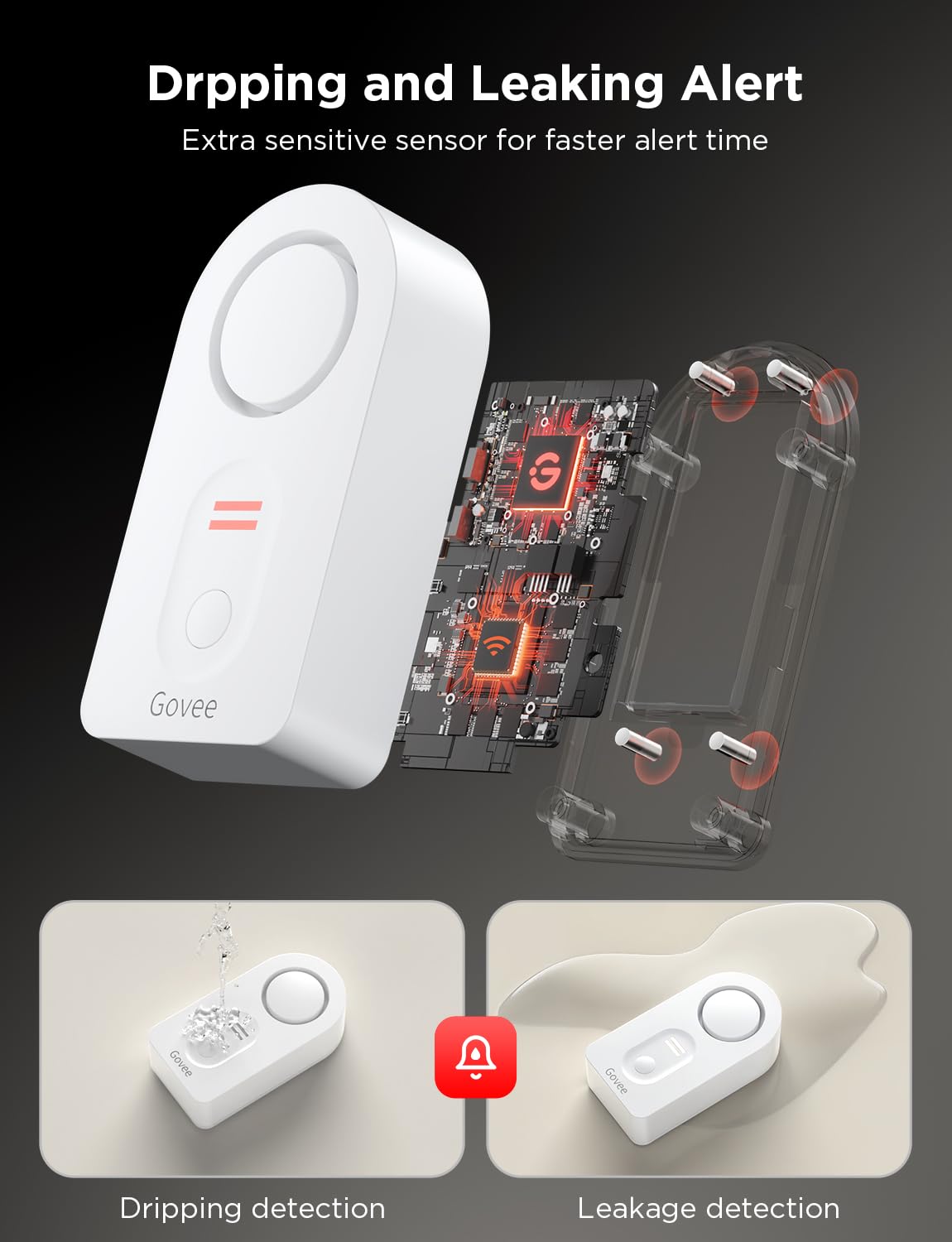
Product Description
How it works1: Plug the Wifi gateway into socket, pull out the water sensors battery insulating tab.2: Download Govee Home on App Store or Google Play to your cellphone.3: Open the app and sign up with your email account.4: Click the icon '+' at the top right corner and select H5040 device.5: Follow the app prompt to connect your wifi Gateway with your router(not support 5G wifi).6: Name each sensor like Basements, Kitchen Sinks, Water Heaters and put the water sensors on the detecting location.7:Get email, Push notifications and alert on your smartphone when leak happened
Frequently Asked Questions
- Q: What are the dimensions of the Govee WiFi Water Sensor? A: The Govee WiFi Water Sensor measures four point eight eight inches in length, three point six six inches in width, and two point eight seven inches in height.
- Q: What is the model of the Govee Water Leak Detector? A: The model of the Govee Water Leak Detector is H5040 plus H5054.
- Q: What color is the Govee Water Sensor? A: The Govee Water Sensor is available in white.
- Q: How do I install the Govee WiFi Water Sensor? A: To install the Govee WiFi Water Sensor, plug the WiFi gateway into a socket, pull out the battery insulating tab, and download the Govee Home app.
- Q: Can I connect multiple sensors to the Govee Water Detector? A: Yes, you can connect up to ten sensors simultaneously to the Govee Water Detector.
- Q: How does the Govee Water Sensor alert me of leaks? A: The Govee Water Sensor alerts you with real-time notifications via email and app alerts when water leakage occurs.
- Q: What volume settings does the Govee Water Alarm have? A: The Govee Water Alarm has three adjustable volume levels to suit different environments.
- Q: Is the Govee Water Sensor suitable for outdoor use? A: No, the Govee Water Sensor is designed for indoor use, particularly in areas like basements and kitchens.
- Q: How do I clean the Govee Water Sensor? A: To clean the Govee Water Sensor, wipe it gently with a damp cloth. Avoid using harsh chemicals.
- Q: What should I do if my Govee Water Sensor isn't working? A: If your Govee Water Sensor isn't working, ensure it is properly connected to your WiFi network and that the battery is installed correctly.
- Q: Does the Govee Water Sensor support 5G WiFi? A: No, the Govee Water Sensor only supports two point four GigaHertz WiFi connections.
- Q: What is the warranty period for the Govee Water Sensor? A: The Govee Water Sensor typically comes with a one-year warranty, covering manufacturing defects.
- Q: Can I mute the alarm on the Govee Water Detector? A: Yes, you can press the mute button to silence the alarm once you have addressed the leak.
- Q: Is the Govee Water Sensor easy to set up? A: Yes, the Govee Water Sensor is designed for easy setup, requiring only a few steps in the app for configuration.
- Q: What happens if the Govee Water Sensor detects a leak? A: If the Govee Water Sensor detects a leak, it will send push notifications and emails to alert you immediately.
- Q: Does the Govee Water Sensor require any special batteries? A: Yes, the Govee Water Sensor uses a specific battery type that is included with the product.